

Non-pass fields and the Form Submitted webhook
Pass issuance forms can now ask questions that don’t go on the pass, such as “How did you hear about us?”. Add them under Advanced in the form builder as a text answer, date or dropdown.Answers to non-pass fields aren’t saved in PassEntry. Subscribe to the newformSubmitted webhook to receive them. It’s sent each time someone submits a form and their pass is created, with:- every answer from the form, including non-pass fields
- the consent text the person saw, and whether they agreed
- the created pass
Square Google banners
Google banners can now be Wide (1032px x 336px) or Square (1032px x 812px). Transit templates support wide only.Learn more: Pass design guideDelete pass templates from the Dashboard
You can now delete pass templates directly from the Dashboard’s templates list. Templates get deleted and all associated passes will be nullified. This is an irreversible action. Only published templates count against your template limitOpen the ”…” menu on any template card and pick Delete.Learn more: Pass nullificationApple Generic Poster Design
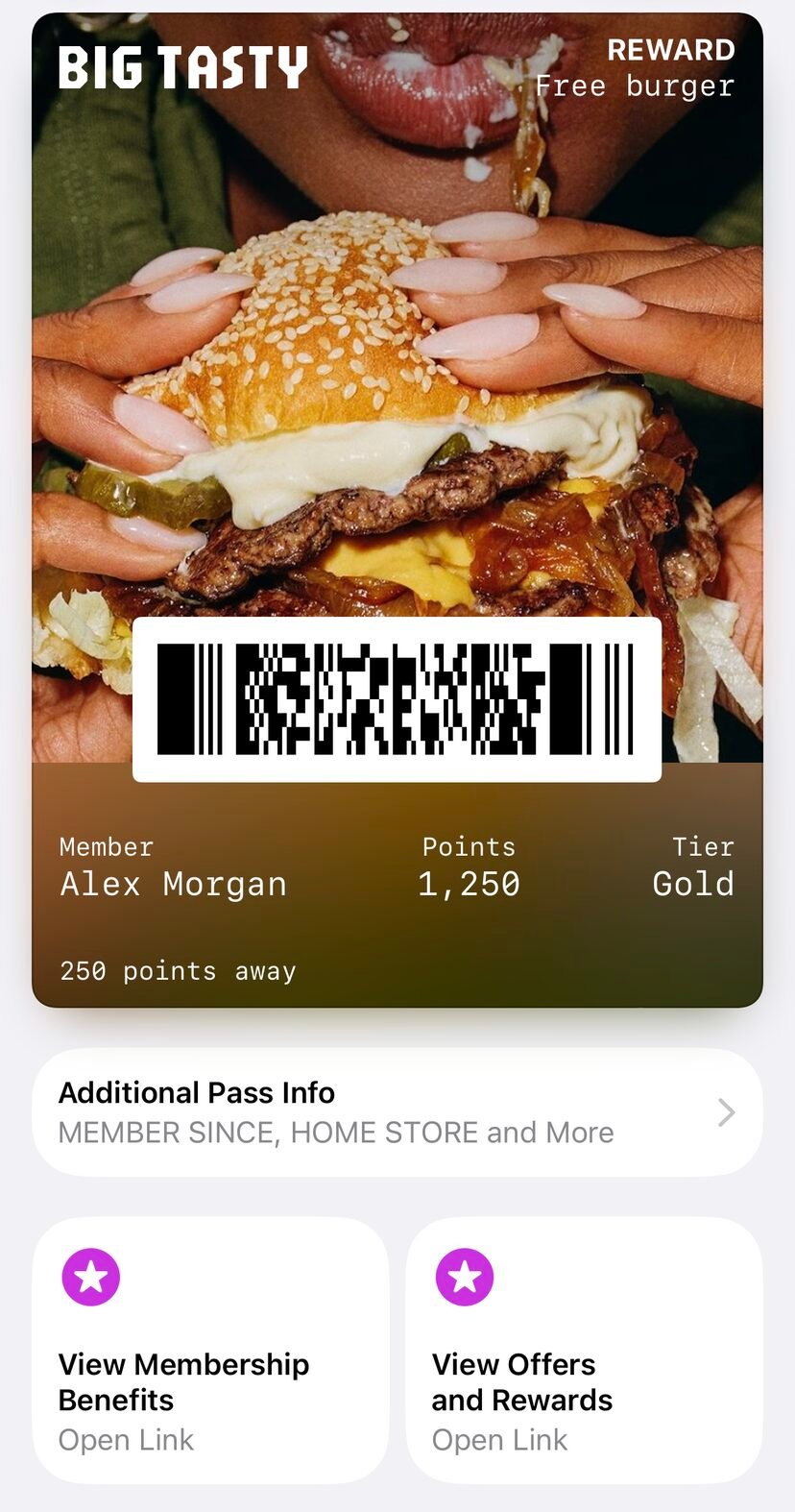
Apple’s poster face is no longer limited to event tickets. SetappleEnhancedDesign.type to generic on an event ticket, generic or loyalty template to give its passes a full-bleed poster on iOS 27. Your fields sit over the artwork, and anything that does not fit moves into the information panel underneath.- Unlike the
eventTicketdesign, thegenericdesign needs no NFC or pass binding entitlement. Artwork is still required. - Each pass carries its standard layout alongside the poster, so devices below iOS 27 render the pass as they always have.
- Add up to two
featuredActionsbuttons under the poster. Each slot takes an actiontypeand anhttps://URL, and the two slots must use different types. - Passes inherit the template’s actions when they are created. Override a slot per-pass under
enhancedData.generic.featuredActions, or send the slot asnullto remove it.
Numbers in dynamic pass fields
Dynamic pass fields defined on your template now accept integers and floats as values, in addition to strings andnull. This applies both to the top-level value and to per-locale localisation.<locale>.value entries on the Create Pass and Update Pass endpoints.Send a numeric quantity (points, tier number, price) without pre-formatting it as a string. Validation stays strict, so PassEntry still rejects unsupported types.Combine pass template and group tag filters in wallet messaging
Wallet messaging batches can now target passes by pass template and group tags together. Previously you could filter by one or the other; combining them narrows the audience to passes on the chosen template that also carry at least one of the selected tags.- In the Dashboard, tick both By pass template and By group tag when filtering recipients - the counter shows the combined audience before you send
- Via the API, include a
passTemplateIdsegment and agroupTagssegment in the samesegmentsarray
Okta single sign-on for Dashboard
Teams can now sign in to the PassEntry Dashboard with Okta. On the login page, choose Sign in with Okta and enter your work email — we’ll route you to your organisation’s Okta tenant automatically based on your email domain.- Email-based provider discovery — enter your work email and we redirect to the right Okta tenant
- Per-organisation Okta configuration, scoped to an allowed set of email domains
- Works alongside existing Google and Microsoft SSO options
Okta SSO is available on request. Contact [email protected] to enable it for your organisation and configure your Okta tenant.
Draft Pass Templates
You can now save pass templates as drafts while you iterate on them, before making them live. Drafts let you experiment with different template designs — new layouts, fields or colours — without affecting your published catalogue or existing passes.- Create and edit drafts in the Dashboard while a template is still being designed
- Publish a draft when it’s ready to issue passes from; delete the ones you no longer need
- Drafts are capped at 20 per organisation, but don’t count against your pass template quota — feel free to keep a working set as you experiment
- Every pass template response now includes a
statusfield ("draft"or"published") GET /api/v1/pass-templatesaccepts an optional?status=filter (comma-separated list ofdraftorpublished)
Apple Poster Event Ticket Support
We’ve added support for Apple’s poster event ticket experience (iOS 18+), allowing you to create full-bleed event tickets with rich event information.Pass Templates:- Enable poster event tickets via the
appleEnhancedDesignfield - Configure artwork, secondary logo, and venue map images at the template level
- Add rich event data including event details, venue information, seating, and event guide URLs via the
enhancedDatafield - Override template images per-pass using the new
artworkImage,secondaryLogoImage, andvenueMapImagefields intemplateOverride
Pass Nullification
You can now permanently nullify a pass via the API, irreversibly removing all dynamic data (fields, barcode, NFC, images) while preserving a tombstone record for billing and compliance. Nullified passes appear as “Deactivated” in the wallet, and their External ID is freed for reuse.Check out the guide here: Pass Nullification, Nullify Pass endpointPass Binding in open beta
Pass binding restricts a digital pass to a specific wallet account, preventing sharing or unauthorized use.Google Wallet — The pass is restricted to a specific Google account using a SHA-256 email hash. Only the matching account can save the pass.Apple Wallet — The pass is bound to the user’s device using FIDO hardware key authentication, requiring Face ID or Touch ID. Apple binding is mainly beneficial for NFC passes, as it disables the NFC on the pass.API docs here: Create PassCheck out the guide here: Pass BindingImage Assets API
Upload images once and reference them by ID across multiple passes usingtemplateOverride. This reduces duplication and simplifies pass image management.- Create, list, and view image assets via the API
- Supported image types: banner, logo, and thumbnail
- Supports direct URL and base64 encoded uploads (PNG, JPG, WebP)
- Batch operations now support image asset override columns
New pass template builder
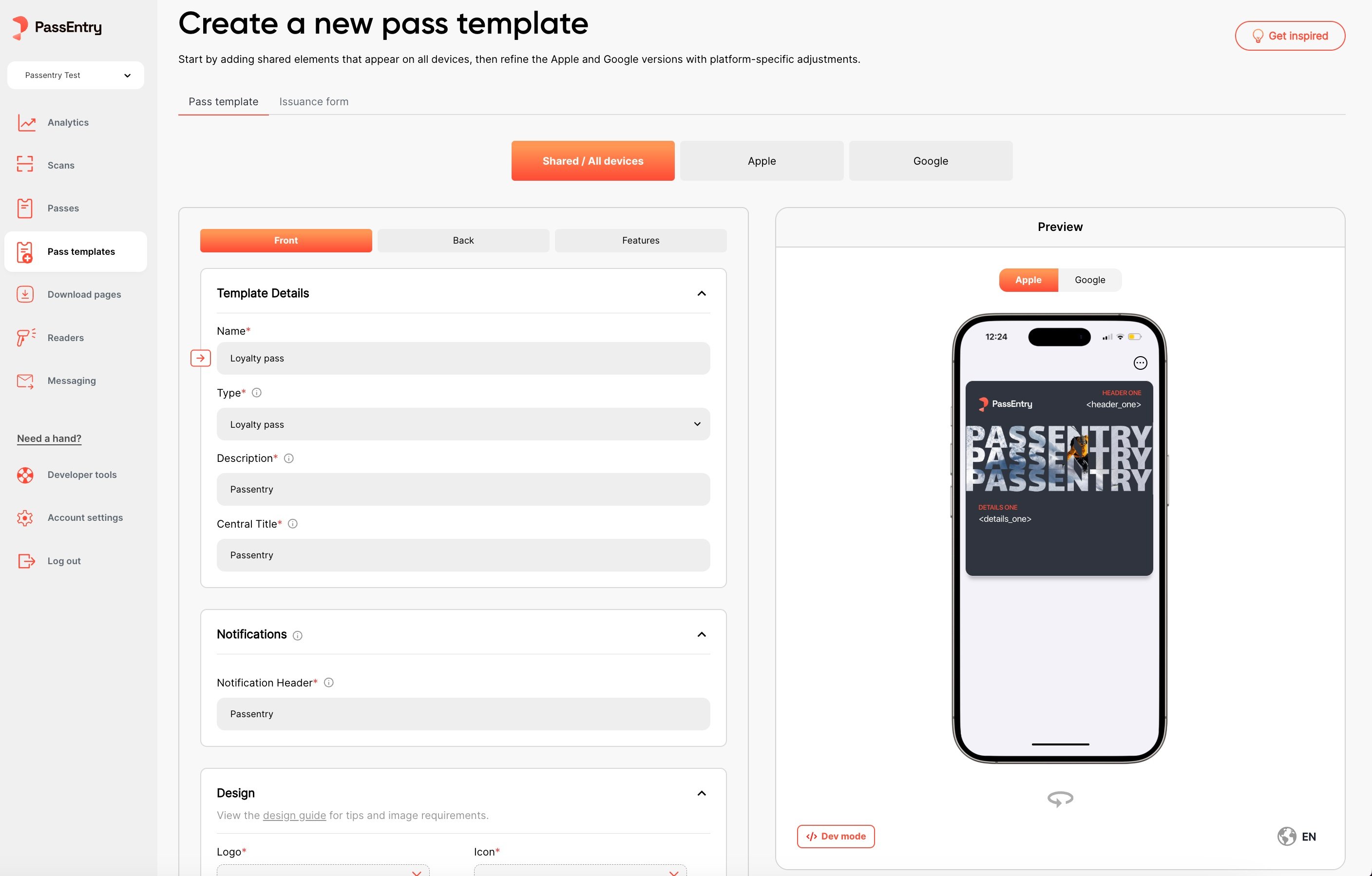
We’re rolling out a new pass template builder which includes a range of performance, design, and layout improvements. Major changes include:- Creating transit passes directly from the dashboard
- Adding localisation to pass templates via the dashboard
- Uploading more device-specific images for Apple and Google passes
Support for external Apple Pass Type Identifier Certificates
We’ve added support for external Apple Pass Type Identifier Certificates. This allows you to use your own Pass Type Identifier Certificates, rather using our internal certificates. Check out the guide here: Adding an Apple Pass CertificateBatch Pass Update via CSV in closed beta
We’ve added support for batch pass update via CSV. Batch updates are scheduled to run at a specified time, and can be cancelled if needed. Check out the guide here: Batch Pass Update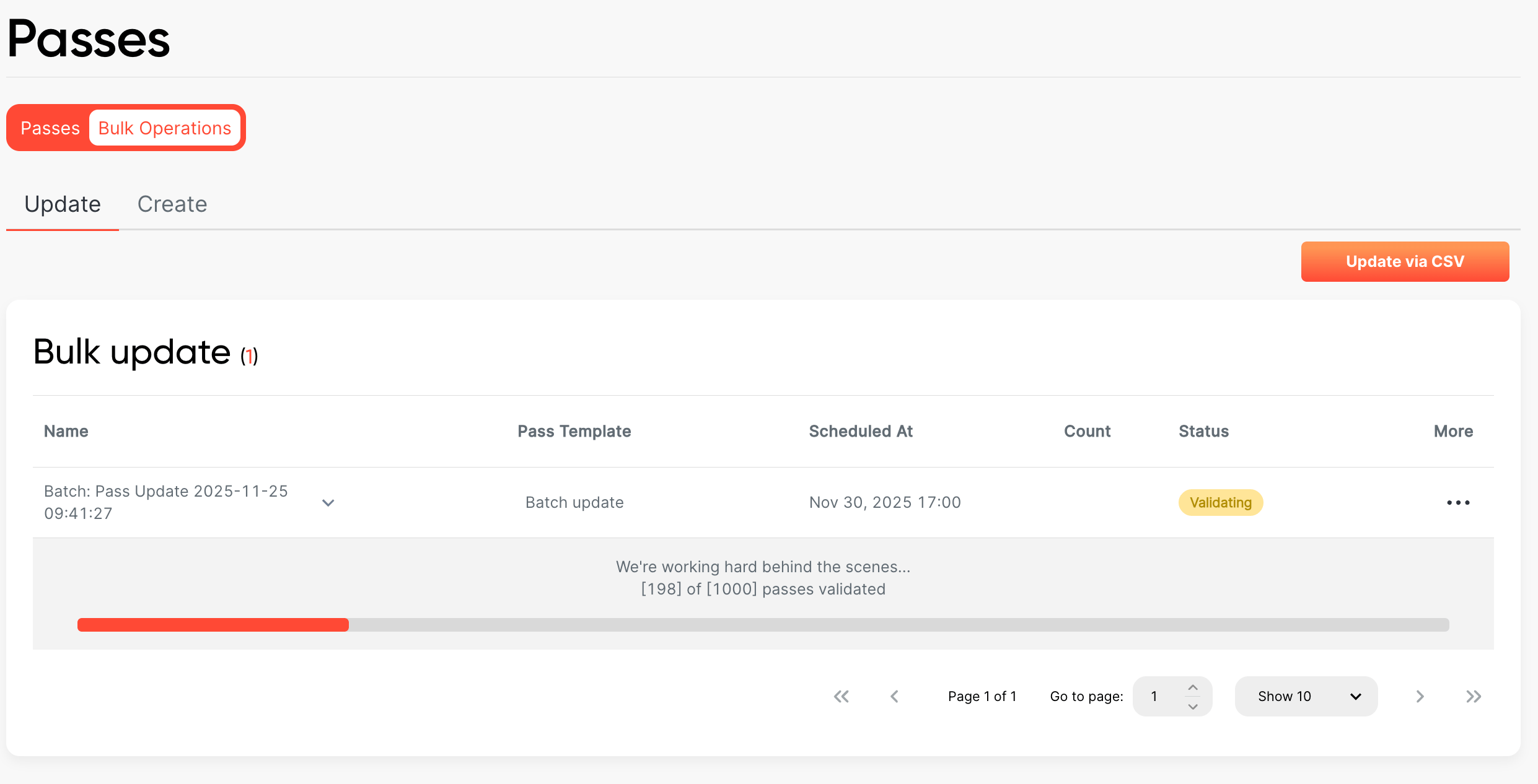
Resetting overridden pass template fields
After using thetemplateOverride option on pass to override template design,
you can now revert to the original template design by passing null to any previously overridden value.Check out the guide here: Pass Template OverridePass Value Localisation
We’ve added support for localising pass field values. This is available in the pass create and update endpoints.For more information and usage examples, check out the Translating Passes: Localisation Guide.Pass Template Localisation
We’ve added per‑field localisation so you can present pass content in your customers’ preferred language without duplicating templates. You can now localise both field labels and values by providing translations under the optionallocalisation object (keyed by language codes like en, fr, is).The defaultLanguage defines the fallback, and responses only include localisation when translations exist. You can localise any subset of fields – untranslated fields automatically use the default language.For more information and usage examples, check out the Translating Passes: Localisation Guide.New Transit Pass type
We’ve added a new transit pass type to the API. This allows you to create a pass that is used for transit.Check out the guide here: Transit Pass Template, Transit PassDynamic Barcode Values
You can now make the barcode value dynamic by using the%{passData.xyz} syntax(e.g., Hello, %{passData.extId}!). Currently, only %{passData.extId} and %{passData.uuid} are supported.Check out the guide here: Pass Barcode, Pass Template BarcodeWebhook Subscriptions API
We’ve introduced a new Webhook Subscriptions API that allows you to programmatically manage your webhook endpoints and supports multiple webhook subscriptions. You can now:- Create, update, and delete webhook subscriptions
- List all your active webhook subscriptions
- Test webhook endpoints before going live
- Rotate webhook secret keys for enhanced security
Pass download page troubleshooting link
We’ve added a new option to include a Help & FAQs link on a pass download page. When enabled, this link will redirect users to the troubleshooting URL you provide—making it easier for them to get assistance during the download process.This feature is available in the pass download page editor.Pass Template Fields API
You can now use theoverride_field_value key to enforce the latest default values from a pass template.When this key is set to
true, all existing pass field values will be overridden with the current defaults defined in the pass template.If the key is not provided, it defaults to false, which means existing field values will be preserved and not forcibly updated.This key is only available when updating a pass template.
Pass Templates API now in open beta
We’ve opened up access to the Pass Templates API to all users. You can now use it to create, update, and list pass templates, as well as manage template settings.If you run into any issues or have feedback, feel free to reach out to [email protected].Read the guide to get started: Pass Templates APIPass Download Pages
We’ve added a new feature that allows you to create multiple custom pass download pages for your organisation. A page can be associated with an entity or one or more pass templates. This feature is available in the pass download pages section of the dashboard.Check out the guide here: Pass Download PagesAbility to filter passes by external ID prefix
You can now filter passes by external ID prefix to group passes together by extId, if they share a common prefix text value.extIdPrefixCheck out the guide here: Passes APIPass Templates API released on closed beta
We’ve added a new API for managing pass templates. This allows you to create, update, and delete pass templates, as well as manage pass template settings.This API is currently in closed beta, and is only available to select users. If you’d like to join the beta, please contact us at [email protected].Check out the guide here: Pass Templates API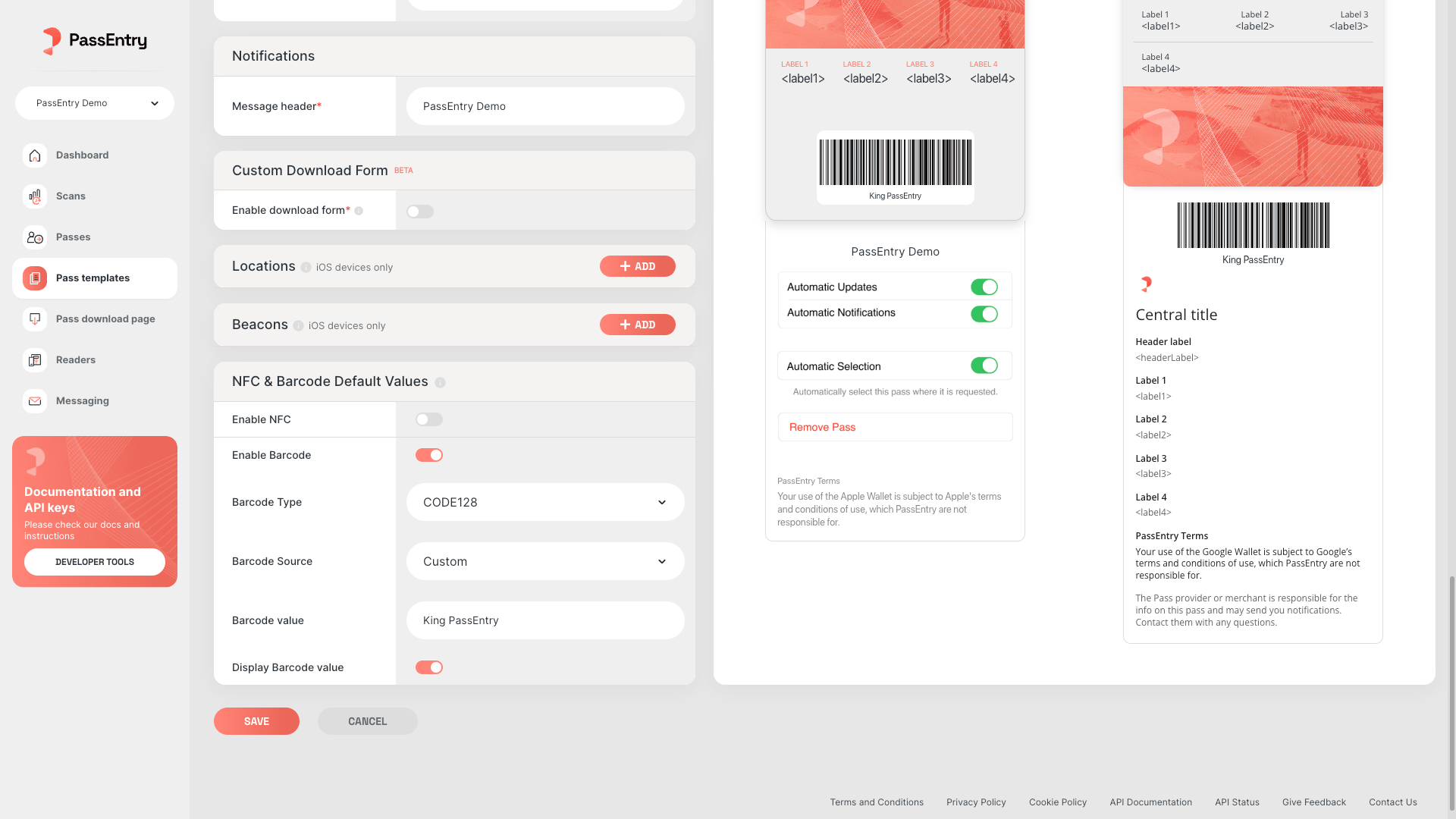

Custom NFC source for passes and setting NFC defaults at template level
When creating a pass via dashboard, you can now select the NFC source from a dropdown. This allows you to use a custom NFC source for your pass. You can also set the default NFC source for a pass template, which will be used when creating a new pass from that template.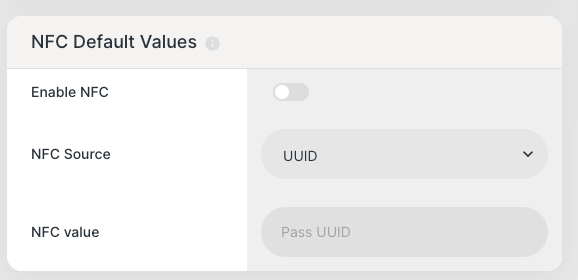
Loyalty Info Now Visible on Scans
We’ve added loyalty data to the/scans and /scans/log endpoints - meaning loyalty actions are now logged at the scan level and visible in the ‘Scans’ section on the dashboard. You can now validate a pass and manage loyalty in a single request, with support for add, redeem, override, and stamp operations.