> ## Documentation Index
> Fetch the complete documentation index at: https://docs.passentry.com/llms.txt
> Use this file to discover all available pages before exploring further.

# Pass Template Types Explained

> Understand PassEntry pass template types, how they differ in layout and supported fields and why they do not restrict your use case.

## Overview

Pass template types in PassEntry define **layout structure, available visual assets and field placement** – they do **not** limit how you can use a pass.

You can use any template type for any scenario, whether that’s loyalty, access control, events, memberships, gift cards or insurance passes. The template type simply gives you a starting layout optimised for a common use case.

### In this guide

* [Do pass template types restrict use cases?](#do-pass-template-types-restrict-use-cases)
* [Available template types](#available-pass-template-types)
* [Visual examples](#visual-examples-of-pass-template-types)
* [Comparison table](#template-type-comparison)
* [How template types differ](#how-template-types-differ)
* [Choosing the right template type](#choosing-the-right-template-type)
* [FAQ](#frequently-asked-questions)
* [What’s next](#what’s-next)

***

<span id="no-restrictions" />

## Do pass template types restrict use cases?

A pass template type:

* ✅ Controls **layout**
* ✅ Determines which images and fields are available or required
* ❌ Does **not** enforce business logic or restrict usage

For example:

* A **Loyalty** template can be used for access control
* An **Event** template can also be used for non-ticket scenarios that require more visible fields or broader geo-based notifications.
* A **Generic** template can be used for almost any scenario

Choose the template type based on **how you want the pass to look**, not how you name or market the pass.

***

<span id="available-types" />

## Available pass template types

PassEntry currently supports the following template types:

* Loyalty
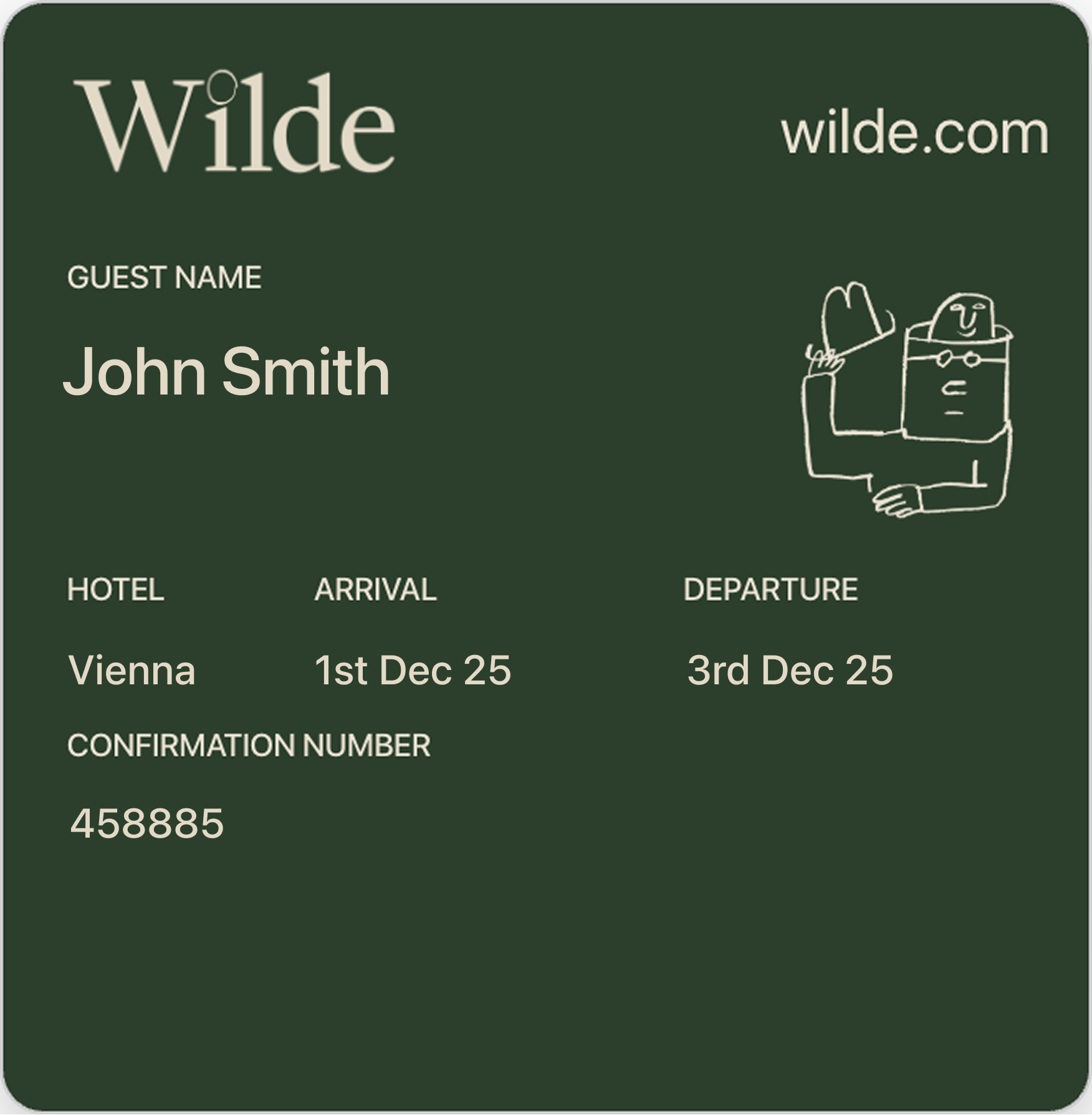
* Generic
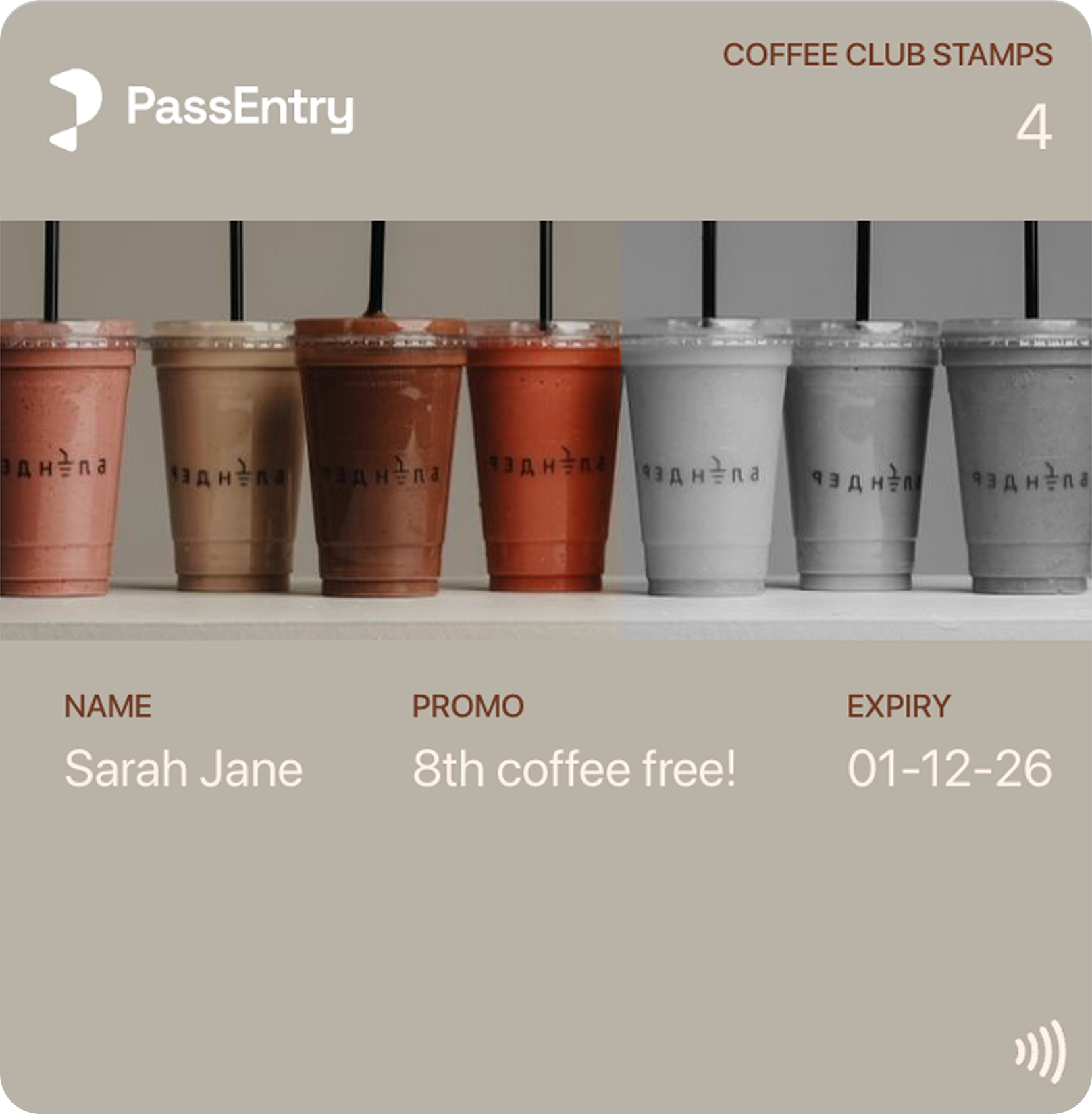
* Stamp card
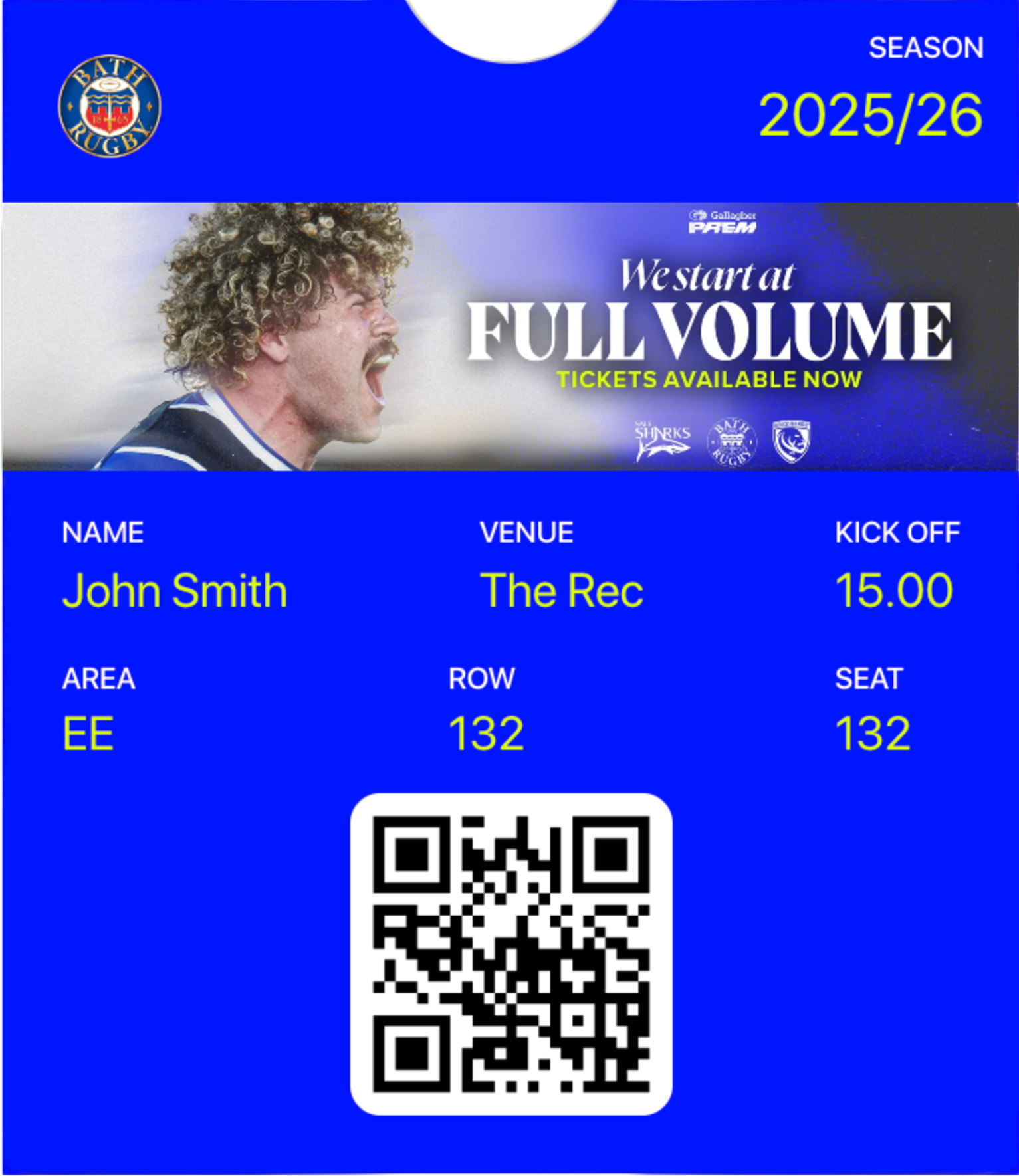
* Event
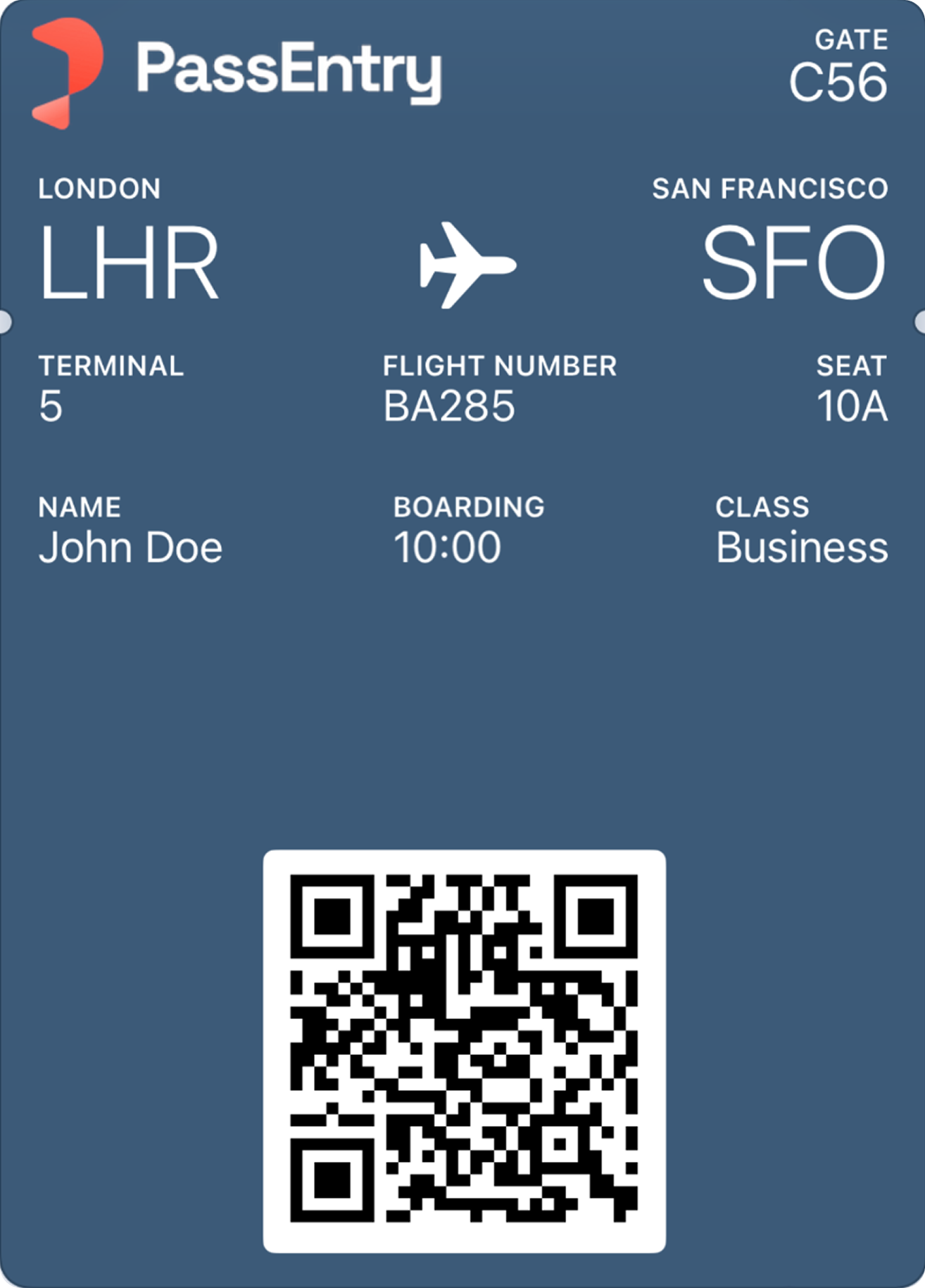
* Transit

Each type offers a different visual structure and set of configurable assets.

***

<span id="visual-examples" />

## Visual examples of pass template types

The examples below show typical layouts for each pass template type.
They illustrate visual structure only – all templates can be customised and reused for different use cases.

<div className="grid grid-cols-1 sm:grid-cols-2 lg:grid-cols-2 gap-6 mt-6">
  <div>
    <h4>Loyalty</h4>

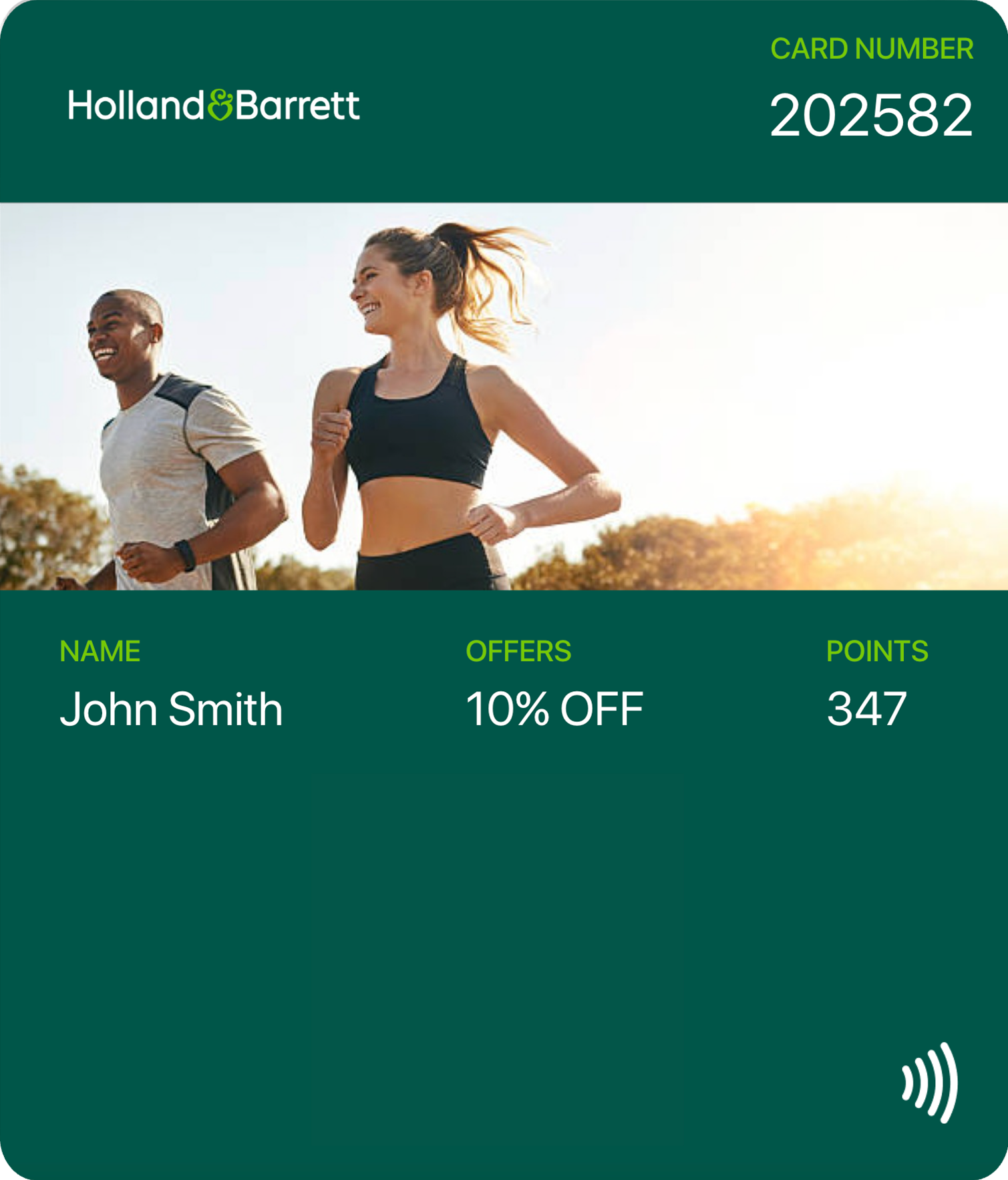
    <img src="https://mintcdn.com/passentry-0/wVHc_KE_FnB4W_b6/documentation/images/template-types/loyalty.png?fit=max&auto=format&n=wVHc_KE_FnB4W_b6&q=85&s=d210615e54dedde36c0ccbbd4b7adf51" alt="Loyalty pass template example" width="1509" height="1767" data-path="documentation/images/template-types/loyalty.png" />

    <p className="text-sm text-muted">Primary information displayed prominently at the top of the pass.</p>
  </div>

  <div>
    <h4>Event</h4>

    <img src="https://mintcdn.com/passentry-0/wVHc_KE_FnB4W_b6/documentation/images/template-types/event.png?fit=max&auto=format&n=wVHc_KE_FnB4W_b6&q=85&s=85fc4498f5fab560489b39079e760656" alt="Event pass template example" width="1533" height="1770" data-path="documentation/images/template-types/event.png" />

    <p className="text-sm text-muted">Supports a higher number of detail fields on the front of the pass.</p>
  </div>

  <div>
    <h4>Generic</h4>

    <img src="https://mintcdn.com/passentry-0/wVHc_KE_FnB4W_b6/documentation/images/template-types/generic.png?fit=max&auto=format&n=wVHc_KE_FnB4W_b6&q=85&s=84c9b524e879edc1a433aca54b2eff19" alt="Generic pass template example" width="1752" height="1789" data-path="documentation/images/template-types/generic.png" />

    <p className="text-sm text-muted">
      Includes a central field ("Guest Name") and uses a thumbnail image on Apple Wallet.
    </p>
  </div>

  <div>
    <h4>Stamp card</h4>

    <img src="https://mintcdn.com/passentry-0/wVHc_KE_FnB4W_b6/documentation/images/template-types/stamp-card.png?fit=max&auto=format&n=wVHc_KE_FnB4W_b6&q=85&s=6b4142af309e8723cb9e6e49d7d816a3" alt="Stamp card pass template example" width="1617" height="1650" data-path="documentation/images/template-types/stamp-card.png" />

    <p className="text-sm text-muted">
      Progress-based layout showing completed and remaining steps (4 cups out of 7 filled – 3 more to go).
    </p>
  </div>

  <div>
    <h4>Transit</h4>

    <img src="https://mintcdn.com/passentry-0/wVHc_KE_FnB4W_b6/documentation/images/template-types/transit.png?fit=max&auto=format&n=wVHc_KE_FnB4W_b6&q=85&s=ea7c3c0821337d21ddb93f9bf33cb395" alt="Transit pass template example" width="1314" height="1830" data-path="documentation/images/template-types/transit.png" />

    <p className="text-sm text-muted">
      Requires two central fields (origin and destination) and emphasises route or journey details.
    </p>
  </div>
</div>

***

<span id="comparison-table" />

## Template type comparison

The table below contains the main differences between pass template types including available assets, fields and features. All types support Apple Wallet and Google Wallet.

| Feature                                  | Loyalty           | Generic            | Event     | Transit            |
| ---------------------------------------- | ----------------- | ------------------ | --------- | ------------------ |
| Horizontal logo                          | ✓                 | ✓                  | ✓         | ✓                  |
| Square icon                              | ✓                 | ✓                  | ✓         | ✓                  |
| Thumbnail                                | –                 | Apple Wallet only  | –         | –                  |
| Banner                                   | ✓                 | Google Wallet only | ✓         | Google Wallet only |
| Header fields                            | 1                 | 1                  | 1         | 1                  |
| Central fields                           | –                 | 1                  | –         | 2                  |
| Details fields                           | 4                 | 6                  | 6         | 6                  |
| Back fields                              | 5                 | 5                  | 5         | 5                  |
| Geo-based **notifications radius** limit | 100m              | 100m               | **1000m** | 100m               |
| Per-pass **background colour override**  | Apple Wallet only | ✓                  | ✓         | ✓                  |

<span id="how-they-differ" />

## How template types differ

### Layout and field structure

Template types define:

* Which field sections are available (header, central, details, back)
* How many fields can appear in each section
* Whether certain sections are required

For example:

* **Transit** templates require two central fields.
* **Event** templates allow more detail fields on the front, but don’t have a central field.
* **Generic** templates include one central field.

***

### Images and branding assets

Template types also control which images are supported or required, such as:

* Logo
* Icon
* Banner
* Thumbnail

Some template types support banners across both wallets, while others use only icons or logos depending on the platform.

This ensures compliance with Apple and Google design requirements while giving you flexibility to brand your passes.

***

<span id="choosing" />

## Choosing the right template type

<Info>
  There is no single “correct” template type - the best choice depends on the layout and fields you need to display.
</Info>

When selecting a template type, ask:

* How many fields do you need to display on the front and on the back of the pass?
  Remember that clickable links must be placed on the back of the pass.
* Which layout best fits the information you want to display?
* Do you need a central field, two central fields or a progress-based layout?
* Which assets (logo, banner, icon, thumbnail) do you want to highlight?

Do **not** worry about:

* The name of the template type
* Whether your use case matches the label exactly

***

## Frequently asked questions

### Do pass template types restrict how a pass can be used?

No. Pass template types only define layout, available assets and field structure. You can use any template type for any use case.

### Which pass template type should I choose?

Choose the template type based on the layout and fields you need to display on the pass, not on the name of the template type.

### Can I use a Loyalty template for non-loyalty use cases?

Yes. For example, Loyalty templates are often used for access passes or memberships where a membership ID is displayed in the top-right header field.

### If I want to use the Loyalty API and update a balance on the pass, do I need to use a Loyalty template?

Not necessarily. Any template type can be configured to use a header field as a balance field and apply loyalty balance formatting. Once the template is configured this way, you can use the Loyalty API with any template type.

### Do all template types support Apple Wallet and Google Wallet?

Yes. All pass template types support both Apple Wallet and Google Wallet, but the available assets (such as banners or thumbnails) may vary slightly.

### Can I change the template type later?

You can change the template design (colours, fields, images) at any time, but the template type itself cannot be changed after creation.

***

<span id="whats-next" />

## What’s next?

* Learn which [design assets to use for your pass template](/documentation/passes/design/guide)
* Explore [issuing passes from template via API](/api-reference/v1/passes/create-pass)

***

## Need help?

If you’re unsure which template type to choose, contact [PassEntry support](mailto:support@passentry.com). We’ll help you pick the best starting point for your use case.