> ## Documentation Index
> Fetch the complete documentation index at: https://docs.passentry.com/llms.txt
> Use this file to discover all available pages before exploring further.
# Changelog
## 2026
# April
# Apple Poster Event Ticket Support
We've added support for Apple's poster event ticket experience (iOS 18+), allowing you to create full-bleed event tickets with rich event information.
**Pass Templates:**
* Enable poster event tickets via the `enhancedEventTicket` field
* Configure artwork, secondary logo, and venue map images at the template level
**Passes:**
* Add rich event data including event details, venue information, seating, and event guide URLs via the `enhancedEventData` field
* Override template images per-pass using the new `artworkImage`, `secondaryLogoImage`, and `venueMapImage` fields in `templateOverride`
This feature requires NFC entitlement and is in **closed beta**.
Please contact PassEntry for access.
# April
# Pass Nullification
You can now permanently nullify a pass via the API, irreversibly removing all dynamic data (fields, barcode, NFC, images) while preserving a tombstone record for billing and compliance. Nullified passes appear as "Deactivated" in the wallet, and their External ID is freed for reuse.
### Check out the guide here: [Pass Nullification](/documentation/passes/nullification/guide), [Nullify Pass endpoint](/api-reference/v1/passes/nullify-pass)
# March
# Pass Binding in open beta
Pass binding restricts a digital pass to a specific wallet account, preventing sharing or unauthorized use.
**Google Wallet** — The pass is restricted to a specific Google account using a SHA-256 email hash. Only the matching account can save the pass.
**Apple Wallet** — The pass is bound to the user's device using FIDO hardware key authentication, requiring Face ID or Touch ID. Apple binding is mainly beneficial for NFC passes, as it disables the NFC on the pass.
### API docs here: [Create Pass](/api-reference/v1/passes/create-pass)
### Check out the guide here: [Pass Binding](/documentation/passes/pass-binding/guide)
This feature is in **open beta** and can be requested via a custom plan or reach out directly to [support@passentry.com](mailto:support@passentry.com) - let us know if you encounter any issues or have feedback.
# Geofencing Improvements on Dashboard
We've enhanced Geofencing in the new pass template builder with a unified map view and overlap warnings to prevent duplicate notifications. We've also clarified Apple vs Google behaviour, including device-specific settings and limitations.
# Image Assets API
Upload images once and reference them by ID across multiple passes using `templateOverride`. This reduces duplication and simplifies pass image management.
* Create, list, and view image assets via the API
* Supported image types: banner, logo, and thumbnail
* Supports direct URL and base64 encoded uploads (PNG, JPG, WebP)
* Batch operations now support image asset override columns
### Check out the guide here: [Image Assets](/api-reference/v1/image-assets/guide)
# February
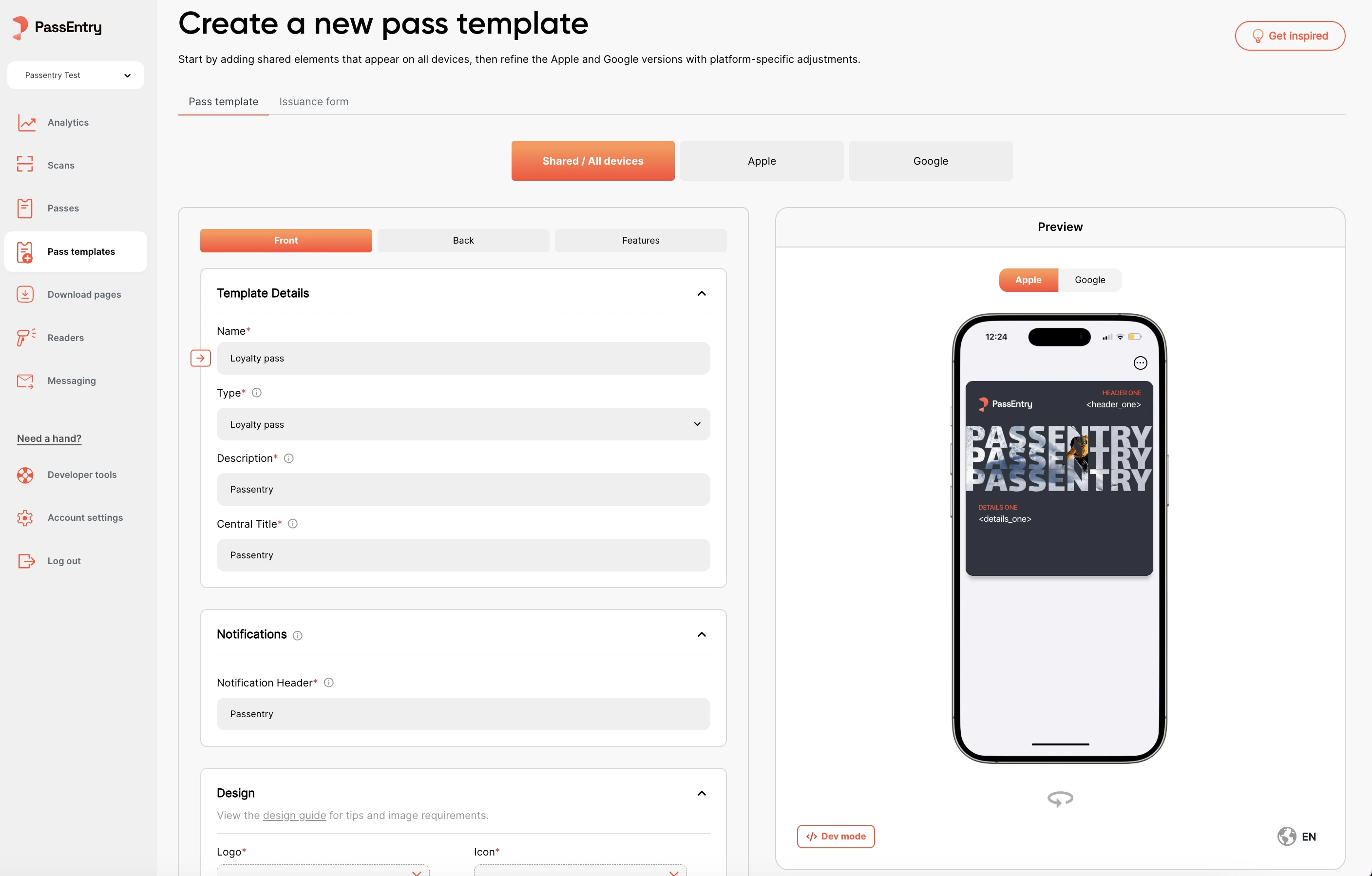
# New pass template builder
We're rolling out a new pass template builder which includes a range of performance, design, and layout improvements. Major changes include:
* Creating transit passes directly from the dashboard
* Adding localisation to pass templates via the dashboard
* Uploading more device-specific images for Apple and Google passes
 ## 2025
# December
# Support for external Apple Pass Type Identifier Certificates
We've added support for external Apple Pass Type Identifier Certificates.
This allows you to use your own Pass Type Identifier Certificates, rather using our internal certificates.
### Check out the guide here: [Adding an Apple Pass Certificate](/documentation/adding-an-apple-pass-certificate)
# November
# Batch Pass Update via CSV in closed beta
We've added support for batch pass update via CSV.
Batch updates are scheduled to run at a specified time, and can be cancelled if needed.
### Check out the guide here: [Batch Pass Update](/documentation/bulk-operations/batch-pass-update/guide)
## 2025
# December
# Support for external Apple Pass Type Identifier Certificates
We've added support for external Apple Pass Type Identifier Certificates.
This allows you to use your own Pass Type Identifier Certificates, rather using our internal certificates.
### Check out the guide here: [Adding an Apple Pass Certificate](/documentation/adding-an-apple-pass-certificate)
# November
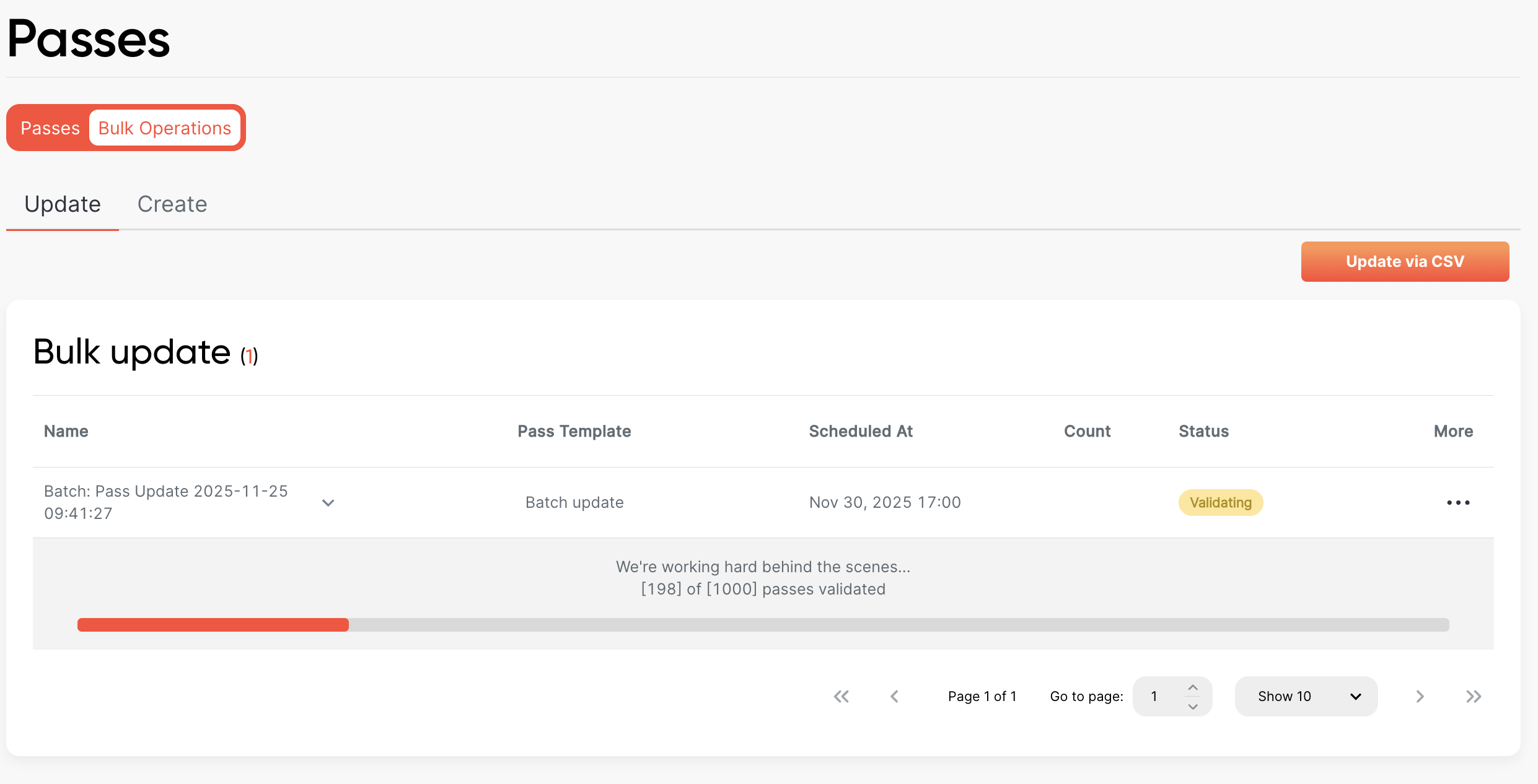
# Batch Pass Update via CSV in closed beta
We've added support for batch pass update via CSV.
Batch updates are scheduled to run at a specified time, and can be cancelled if needed.
### Check out the guide here: [Batch Pass Update](/documentation/bulk-operations/batch-pass-update/guide)
 This feature is in **closed beta**.
Please contact PassEntry for access.
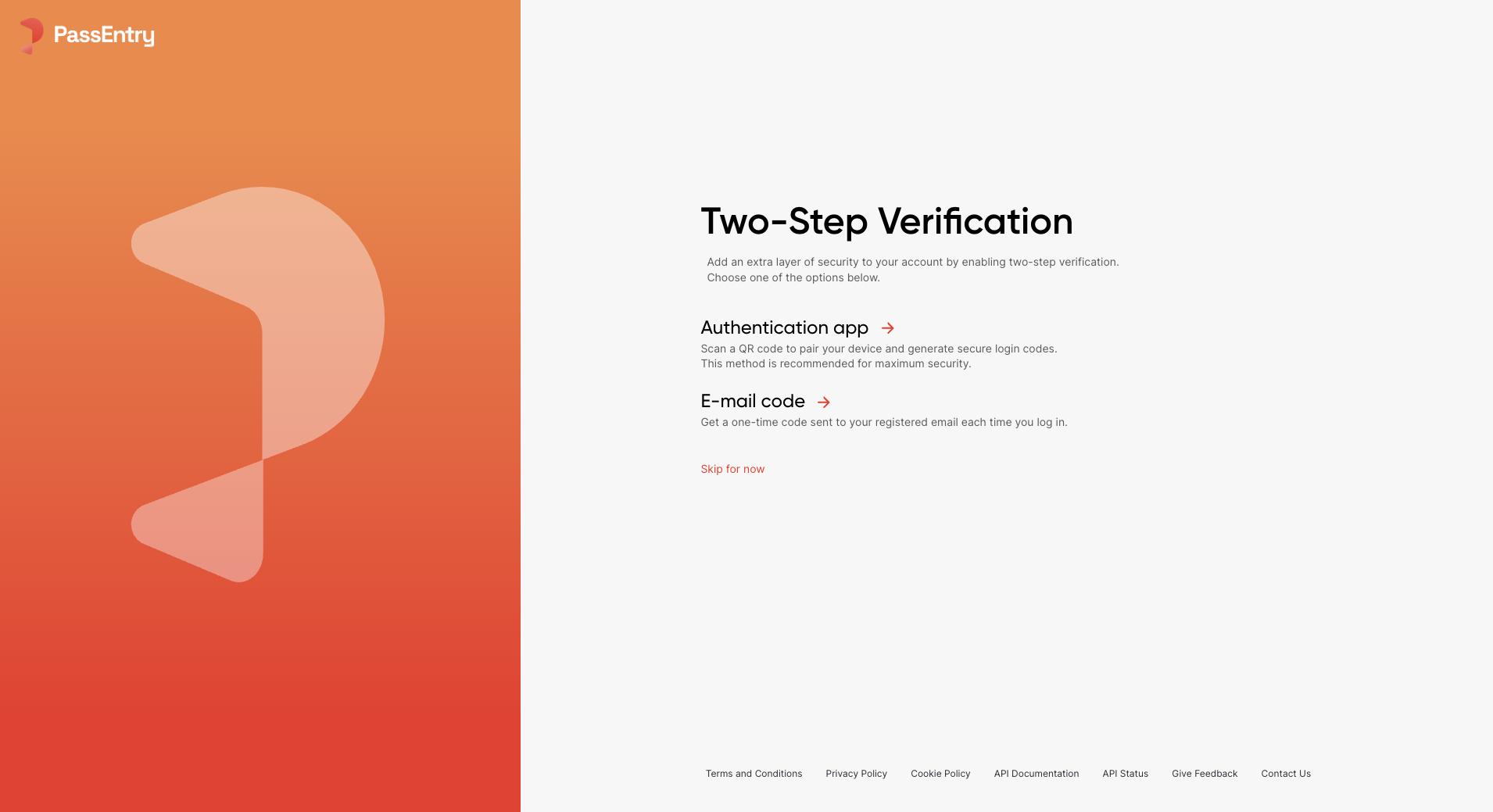
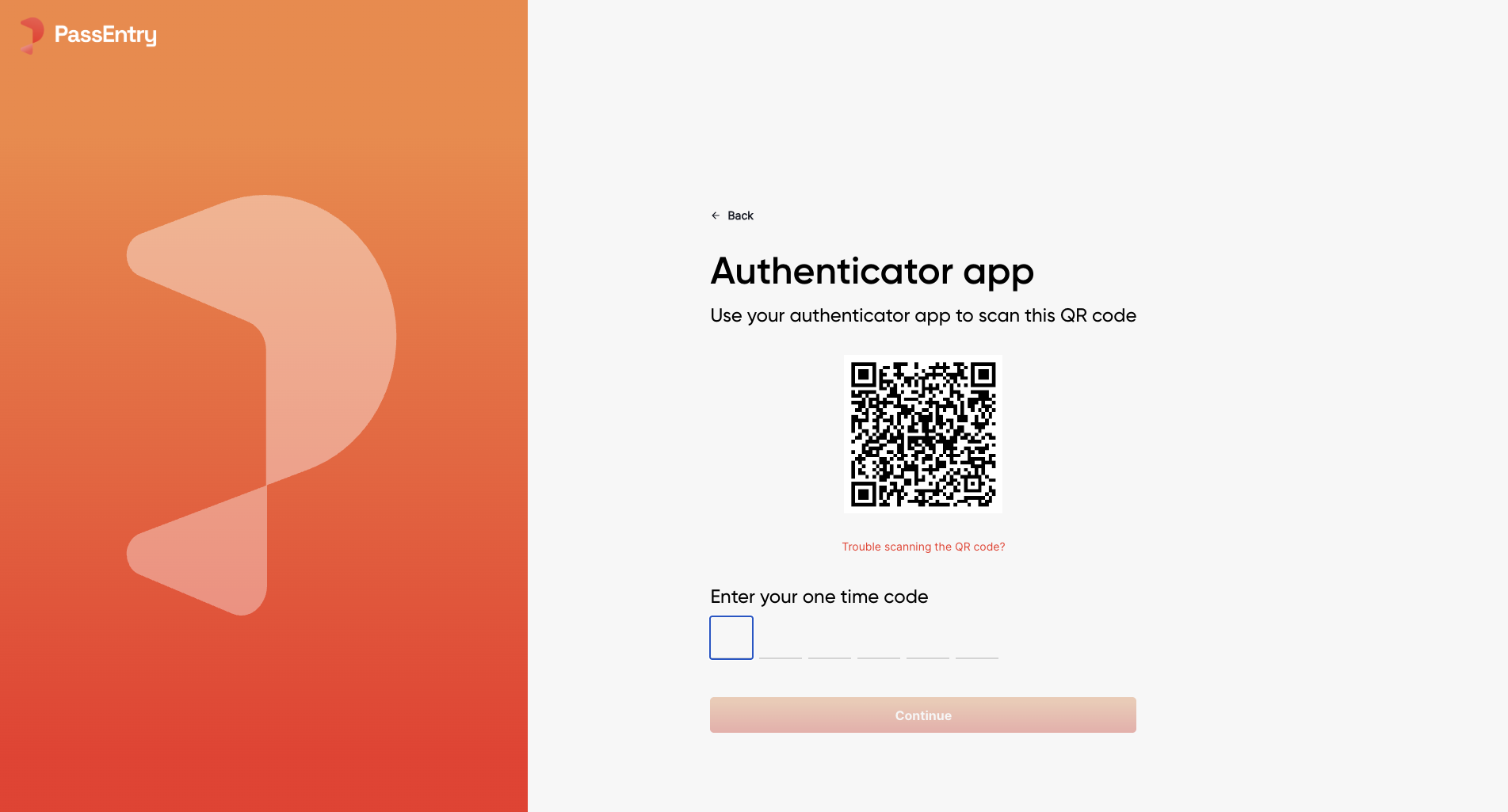
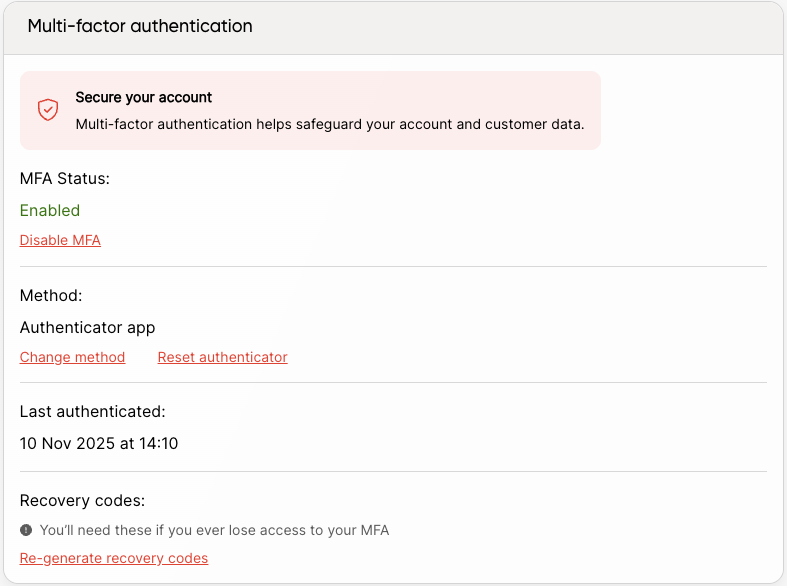
# Multi-Factor Authentication (MFA) for Dashboard
We've added multi-factor authentication (MFA) for PassEntry dashboard accounts.
 # October
# Resetting overridden pass template fields
After using the `templateOverride` option on pass to override template design,
you can now revert to the original template design by passing `null` to any previously overriden value.
### Check out the guide here: [Pass Template Override](/api-reference/v1/passes/update-pass#body-pass-template-override)
# Geofencing for Android
Geofencing, previously available only on Apple Wallet, is now supported for Google Wallet passes.
You can configure locations and enable geofencing for Android devices.
# September
# Pass Value Localisation
We've added support for localising pass field values. This is available in the pass create and update endpoints.
For more information and usage examples, check out the [Translating Passes: Localisation](../../documentation/passes/localisation/guide) Guide.
This feature is in **closed beta** and currently only available on the API.
# October
# Resetting overridden pass template fields
After using the `templateOverride` option on pass to override template design,
you can now revert to the original template design by passing `null` to any previously overriden value.
### Check out the guide here: [Pass Template Override](/api-reference/v1/passes/update-pass#body-pass-template-override)
# Geofencing for Android
Geofencing, previously available only on Apple Wallet, is now supported for Google Wallet passes.
You can configure locations and enable geofencing for Android devices.
# September
# Pass Value Localisation
We've added support for localising pass field values. This is available in the pass create and update endpoints.
For more information and usage examples, check out the [Translating Passes: Localisation](../../documentation/passes/localisation/guide) Guide.
This feature is in **closed beta** and currently only available on the API.
Please contact PassEntry for access.
# Pass Template Localisation
We've added per‑field localisation so you can present pass content in your customers' preferred language without duplicating templates. You can now localise both field labels and values by providing translations under the optional `localisation` object (keyed by language codes like `en`, `fr`, `is`).
The `defaultLanguage` defines the fallback, and responses only include localisation when translations exist. You can localise any subset of fields – untranslated fields automatically use the default language.
For more information and usage examples, check out the [Translating Passes: Localisation](../../documentation/passes/localisation/guide) Guide.
This feature is in **closed beta** and currently only available on the API.
Please contact PassEntry for access.
# August
# New Transit Pass type
We've added a new transit pass type to the API. This allows you to create a pass that is used for transit.
This is currently only available on the API.
Dashboard support is limited — preview and editing are restricted.
### Check out the guide here: [Transit Pass Template](/api-reference/v1/pass-templates/create-pass-template), [Transit Pass](/api-reference/v1/passes/create-pass)
# Pass Download Page - Localisation
We've added support for localising the pass download page into up to 5 different languages. This is available in the pass download page editor under the 'Languages' section.
# July
# Dynamic Barcode Values
You can now make the barcode value dynamic by using the `%{passData.xyz}` syntax(e.g., `Hello, %{passData.extId}!`). Currently, only `%{passData.extId}` and `%{passData.uuid}` are supported.
### Check out the guide here: [Pass Barcode](/api-reference/v1/passes/create-pass#body-pass-barcode-value), [Pass Template Barcode](/api-reference/v1/pass-templates/create-pass-template#body-pass-template-barcode-value)
# Webhook Subscriptions API
We've introduced a new Webhook Subscriptions API that allows you to programmatically manage your webhook endpoints and supports multiple webhook subscriptions. You can now:
* Create, update, and delete webhook subscriptions
* List all your active webhook subscriptions
* Test webhook endpoints before going live
* Rotate webhook secret keys for enhanced security
Each webhook subscription can be configured to receive specific event types, making it easier to manage different integration endpoints.
### Check out the guide here: [Webhook Subscriptions API](/api-reference/v1/webhook-subscriptions/guide)
# Pass download page troubleshooting link
We've added a new option to include a Help & FAQs link on a pass download page. When enabled, this link will redirect users to the troubleshooting URL you provide—making it easier for them to get assistance during the download process.
This feature is available in the pass download page editor.
# Pass Template Fields API
You can now use the `override_field_value` key to enforce the latest default values from a pass template.
When this key is set to `true`, all existing pass field values will be overridden with the current defaults defined in the pass template.
If the key is not provided, it defaults to `false`, which means existing field values will be preserved and not forcibly updated.
This key is only available when updating a pass template.
### Check out the guide here: [Pass Template Fields API](/api-reference/v1/pass-templates/update-pass-template#body-pass-template-fields)
# Pass Templates API now in open beta
We’ve opened up access to the Pass Templates API to all users. You can now use it to create, update, and list pass templates, as well as manage template settings.
If you run into any issues or have feedback, feel free to reach out to [support@passentry.com](mailto:support@passentry.com).
### Read the guide to get started: [Pass Templates API](/api-reference/v1/pass-templates/create-pass-template)
# Pass Download Pages
We've added a new feature that allows you to create multiple custom pass download pages for your organisation. A page can be associated with an entity or one or more pass templates. This feature is available in the pass download pages section of the dashboard.
### Check out the guide here: [Pass Download Pages](../../documentation/passes/downloading-passes/guide)
# June
# Pass Created Webhook
We've added a new webhook for when a pass is created. This webhook is triggered when a pass is created via API, dynamic forms or any other method.
# Ability to filter passes by external ID prefix
You can now filter passes by external ID prefix to group passes together by extId, if they share a common prefix text value.
`extIdPrefix`
### Check out the guide here: [Passes API](/api-reference/v1/passes/list-passes)
# Pass Templates API released on closed beta
We've added a new API for managing pass templates. This allows you to create, update, and delete pass templates, as well as manage pass template settings.
This API is currently in closed beta, and is only available to select users. If you'd like to join the beta, please contact us at [support@passentry.com](mailto:support@passentry.com).
### Check out the guide here: [Pass Templates API](/api-reference/v1/pass-templates/create-pass-template)
# May
# Support for different barcode types
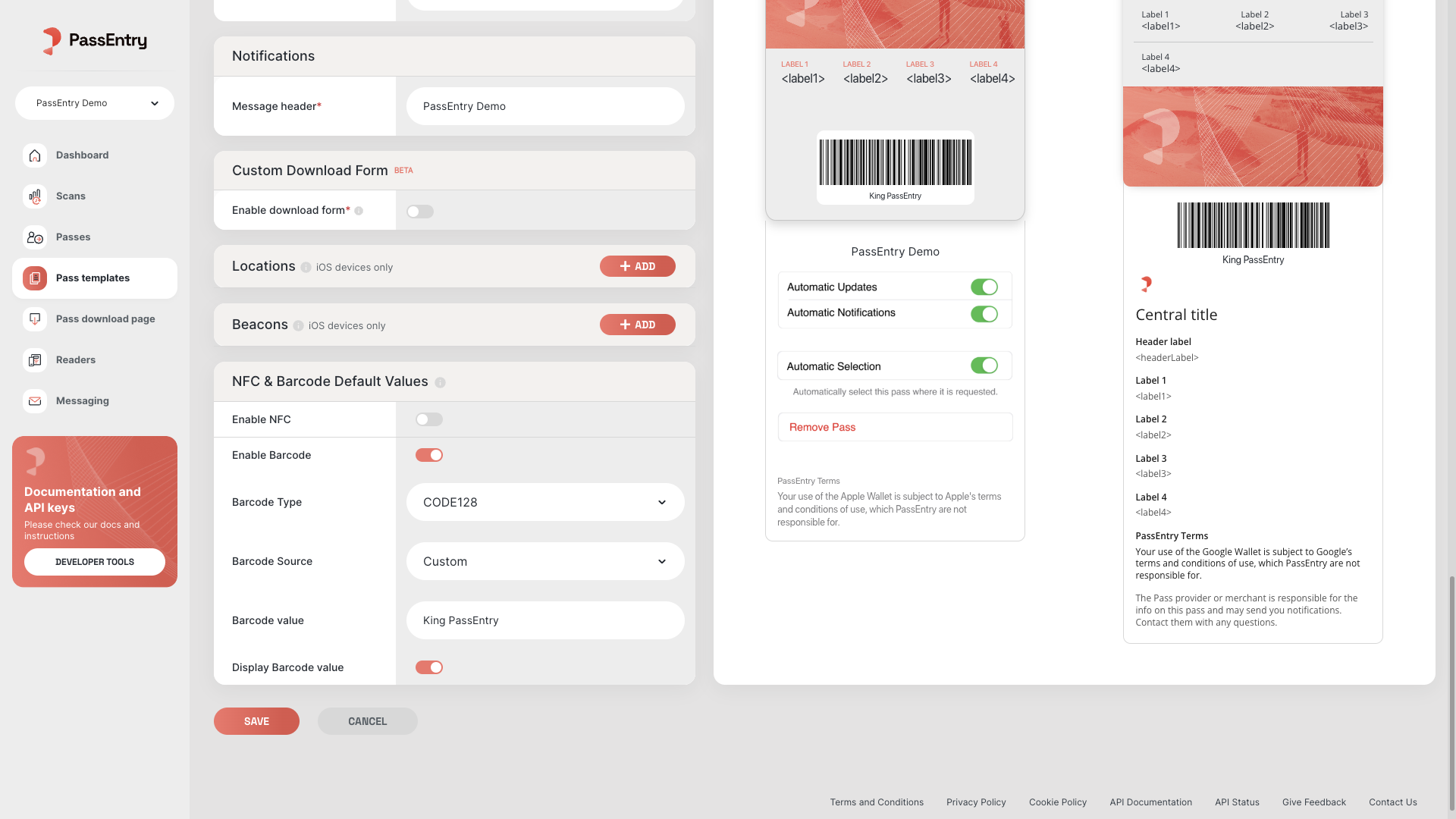
We've added support for different barcode types, including `code128`, `pdf417`, and `aztec`.
You can now select the barcode type from a dropdown when creating a pass and set the default barcode type for a pass template on dashboard.
 # Improved team access controls
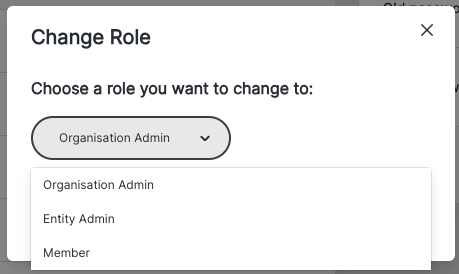
Admins can now invite and remove team members, no longer limited to the lead account. A new "member" role offers view-only access.
# Improved team access controls
Admins can now invite and remove team members, no longer limited to the lead account. A new "member" role offers view-only access.

 # April
# Additional app linking options
**Apple**
Passes now support multiple App Store links, displaying the first available app in the passholder's country.
**Google**
Added customisable display text for Google App links on the front of passes.
# Custom NFC source for passes and setting NFC defaults at template level
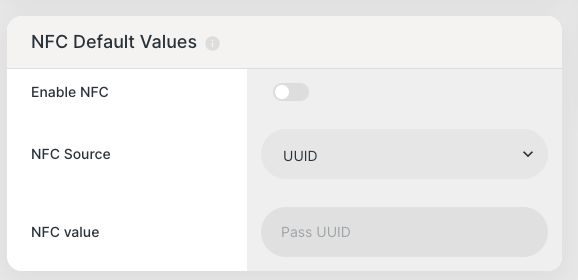
When creating a pass via dashboard, you can now select the NFC source from a dropdown. This allows you to use a custom NFC source for your pass.
You can also set the default NFC source for a pass template, which will be used when creating a new pass from that template.
# April
# Additional app linking options
**Apple**
Passes now support multiple App Store links, displaying the first available app in the passholder's country.
**Google**
Added customisable display text for Google App links on the front of passes.
# Custom NFC source for passes and setting NFC defaults at template level
When creating a pass via dashboard, you can now select the NFC source from a dropdown. This allows you to use a custom NFC source for your pass.
You can also set the default NFC source for a pass template, which will be used when creating a new pass from that template.
 # Custom pass download success message
We've added a new feature that allows you to customize the success message that is displayed when a pass is downloaded. This feature is available in the pass download page editor.
# Loyalty Info Now Visible on Scans
We've added loyalty data to the `/scans` and `/scans/log` endpoints - meaning loyalty actions are now logged at the scan level and visible in the 'Scans' section on the dashboard. You can now validate a pass and manage loyalty in a single request, with support for `add`, `redeem`, `override`, and `stamp` operations.
# VTAP Automatic Reader Setup
You can now set up your VTAP readers automatically via the PassEntry Dashboard - no need to access VTAP Cloud. The setup takes just a few minutes.
### Check out the guide here: [VTAP Automatic Reader Setup](../../documentation/guides/vtap-reader/guide)
# Batches API
You can now interact with batches via [API](/api-reference/v1/batches/guide).
We currently support listing, cancelling, and viewing batches, as well as creating wallet messaging batches.
# March
# Custom Download Forms
We've added a new feature that allows you to create custom download forms for your passes. This feature is available in the pass template editor.
### Check out the guide here: [Custom Download Forms](../../documentation/guides/custom-download-forms/guide)
# Dashboard Redesign
We've redesigned the Dashboard to improve visibility, filtering, and performance. The update includes top-level stats, and enhanced Passes, Scans, and Messaging sections with detailed breakdowns and flexible date range controls (7 days, 1 month, 6 months, all time). We've also made performance improvements for faster loading.
# February
# Auto-format notification links
When sending a notification with a link, the link will now be formatted automatically so it is clickable on both Apple and Google, without needing to know the device type.
### Check out the guide here: [Notification links](../../documentation/passes/notifications/guide)
# January
# Third Party Validation
We've added support for third-party validation. This allows you to use your own validation logic, such as a QR code scanner, to validate passes.
### Check out the guide here: [Third Party Validation](../../documentation/guides/validation-options/guide)
# Custom pass download success message
We've added a new feature that allows you to customize the success message that is displayed when a pass is downloaded. This feature is available in the pass download page editor.
# Loyalty Info Now Visible on Scans
We've added loyalty data to the `/scans` and `/scans/log` endpoints - meaning loyalty actions are now logged at the scan level and visible in the 'Scans' section on the dashboard. You can now validate a pass and manage loyalty in a single request, with support for `add`, `redeem`, `override`, and `stamp` operations.
# VTAP Automatic Reader Setup
You can now set up your VTAP readers automatically via the PassEntry Dashboard - no need to access VTAP Cloud. The setup takes just a few minutes.
### Check out the guide here: [VTAP Automatic Reader Setup](../../documentation/guides/vtap-reader/guide)
# Batches API
You can now interact with batches via [API](/api-reference/v1/batches/guide).
We currently support listing, cancelling, and viewing batches, as well as creating wallet messaging batches.
# March
# Custom Download Forms
We've added a new feature that allows you to create custom download forms for your passes. This feature is available in the pass template editor.
### Check out the guide here: [Custom Download Forms](../../documentation/guides/custom-download-forms/guide)
# Dashboard Redesign
We've redesigned the Dashboard to improve visibility, filtering, and performance. The update includes top-level stats, and enhanced Passes, Scans, and Messaging sections with detailed breakdowns and flexible date range controls (7 days, 1 month, 6 months, all time). We've also made performance improvements for faster loading.
# February
# Auto-format notification links
When sending a notification with a link, the link will now be formatted automatically so it is clickable on both Apple and Google, without needing to know the device type.
### Check out the guide here: [Notification links](../../documentation/passes/notifications/guide)
# January
# Third Party Validation
We've added support for third-party validation. This allows you to use your own validation logic, such as a QR code scanner, to validate passes.
### Check out the guide here: [Third Party Validation](../../documentation/guides/validation-options/guide)